
Omnia WR-2
Original price was: $ 499.00.$ 349.00Current price is: $ 349.00.
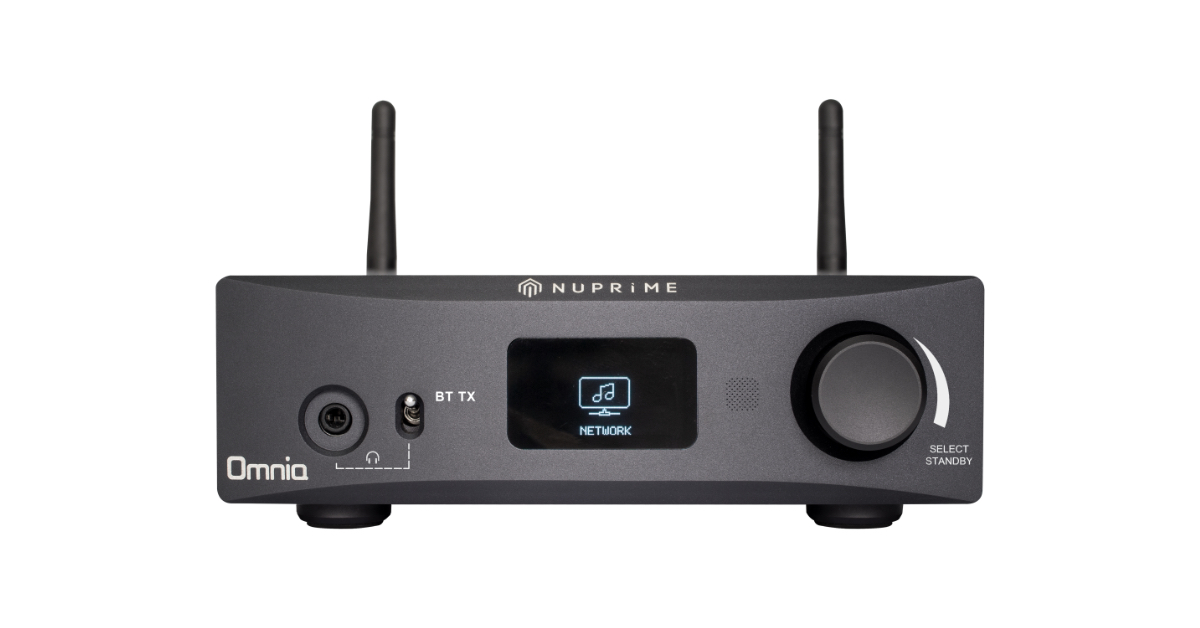
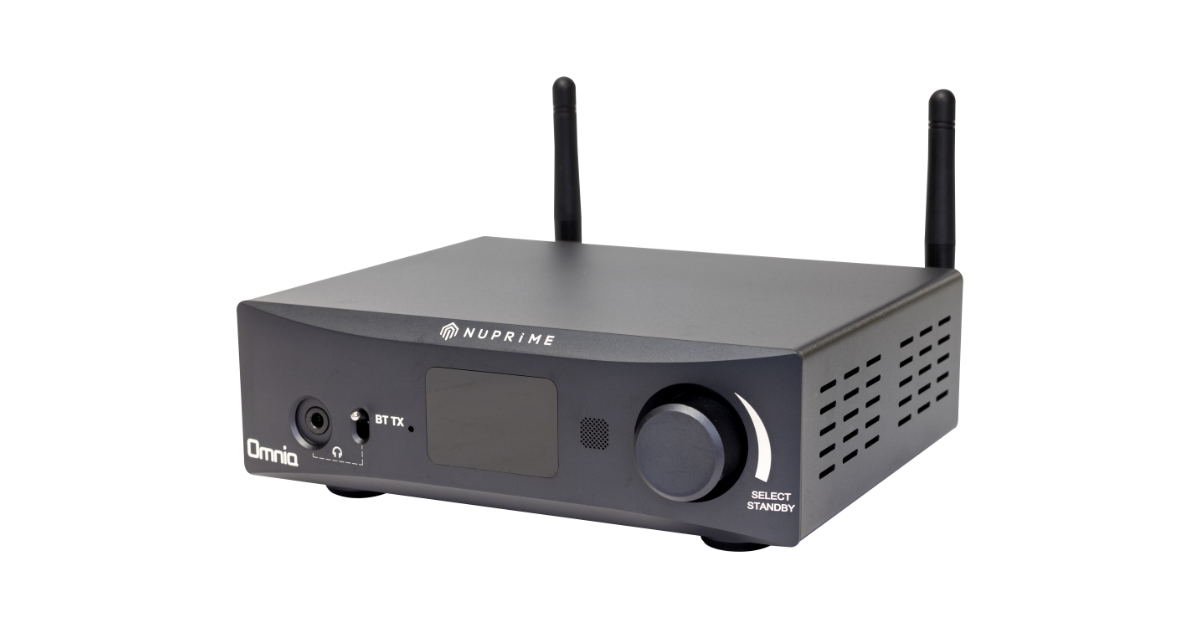
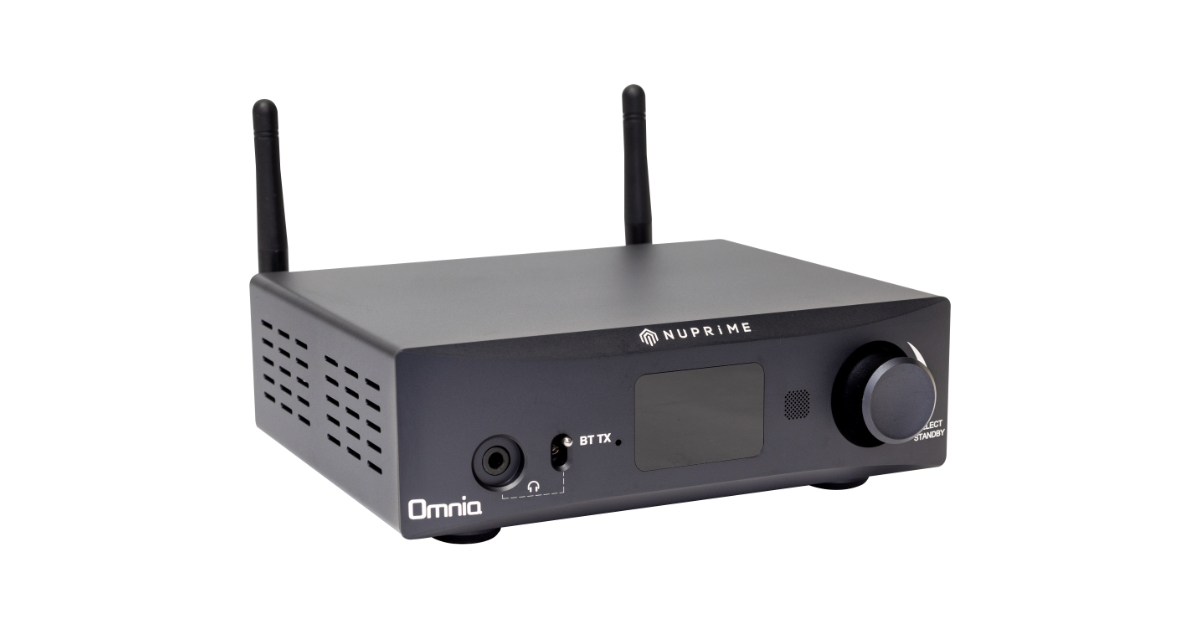
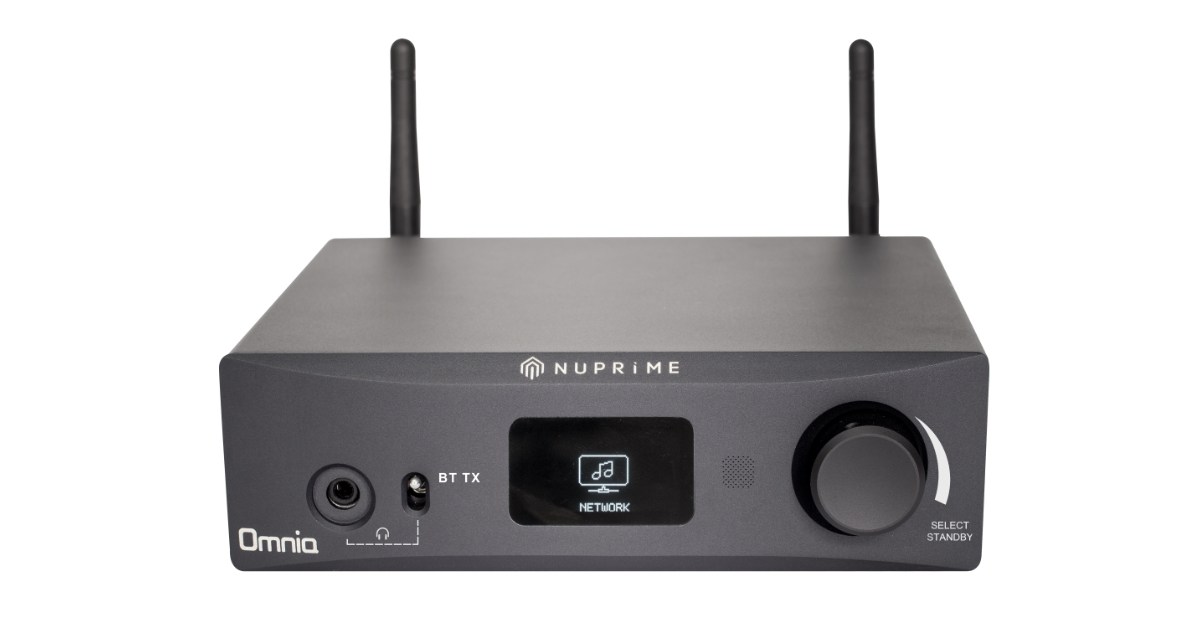
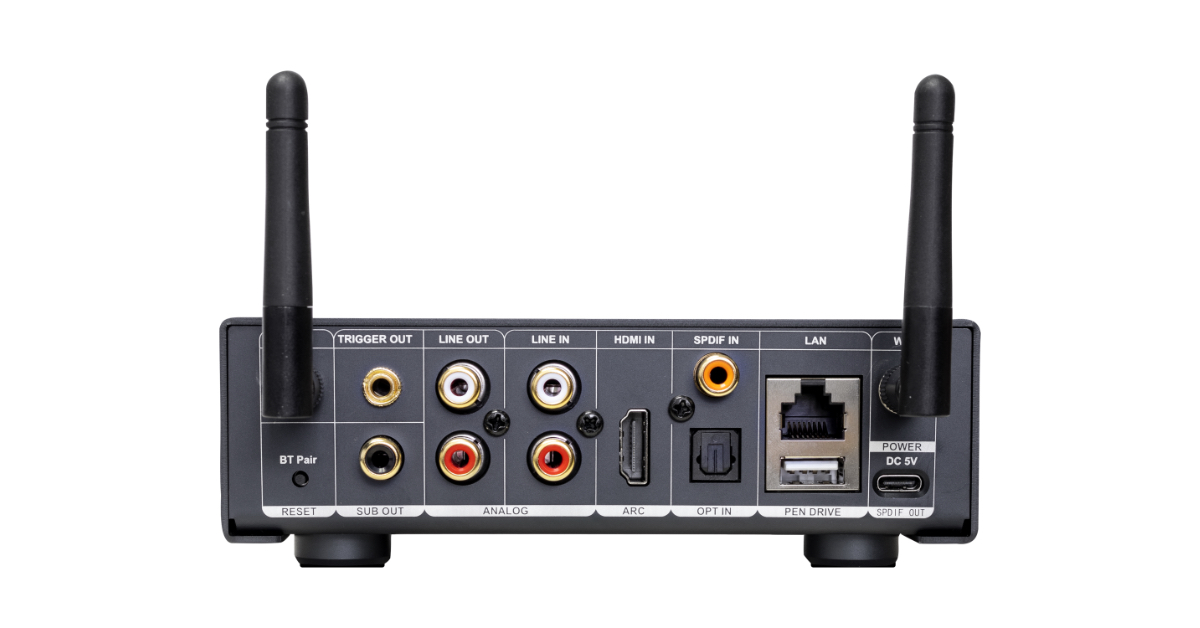
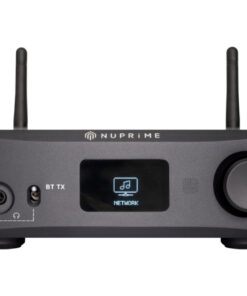
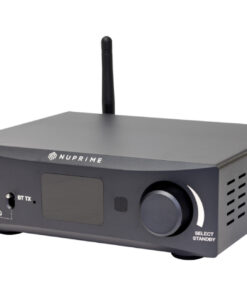
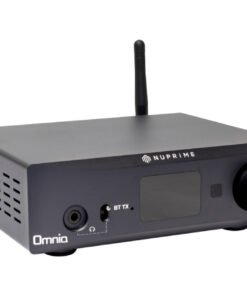
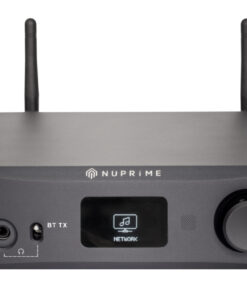
The NuPrime Omnia WR-2 is a versatile multi-zone WiFi and bi-direction Bluetooth 5.2 aptX HD audio streamer capable of streaming music from online services, local storage, and other connected digital and analog sources. In addition, the WR-2 supports HDMI ARC (up to 24-bit/192kHz) and a 3.5mm headphone amplifier.
- Additional information
- Description
- App, Firmware & Manual
- EQ Settings
- FAQ
- Review
- Multi-room Streaming
| Weight | 1.5 kg |
|---|---|
| Dimensions | 106 × 136 × 52 mm |
| Color | Black |
System Architecture
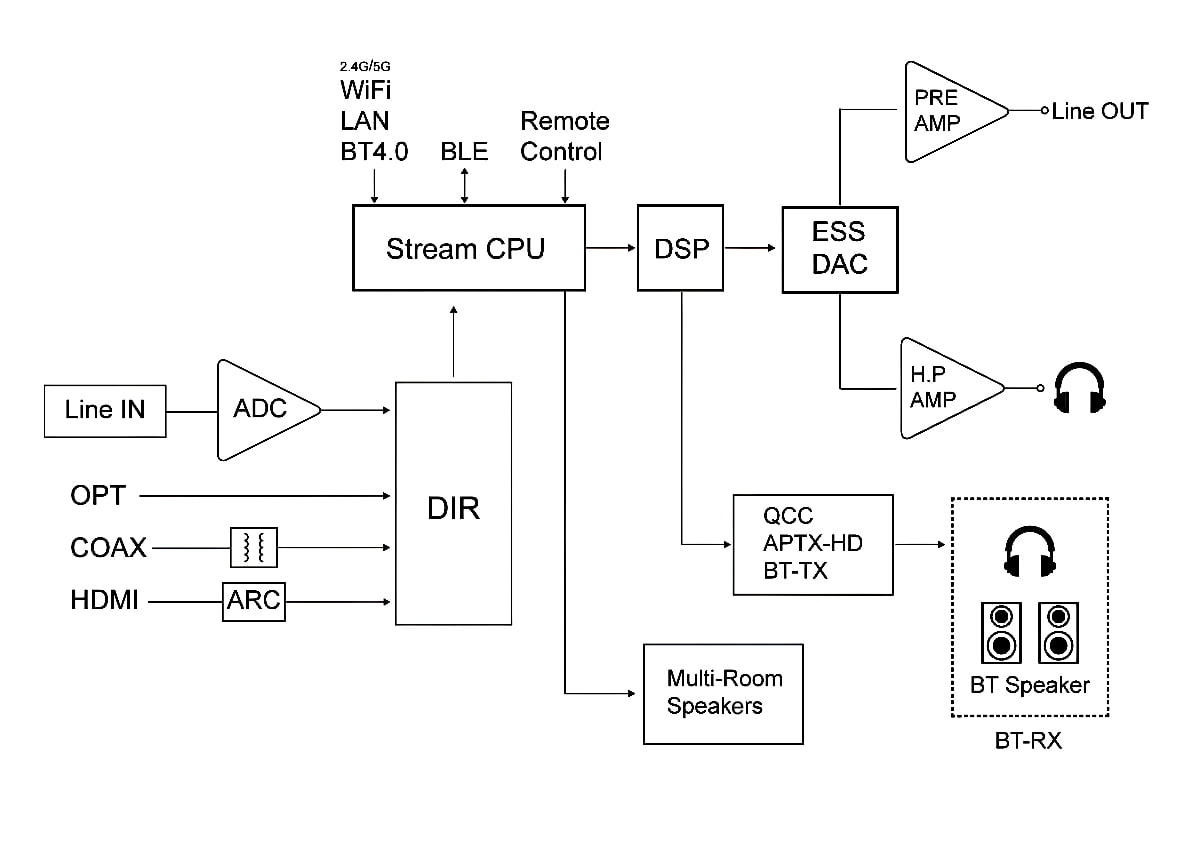
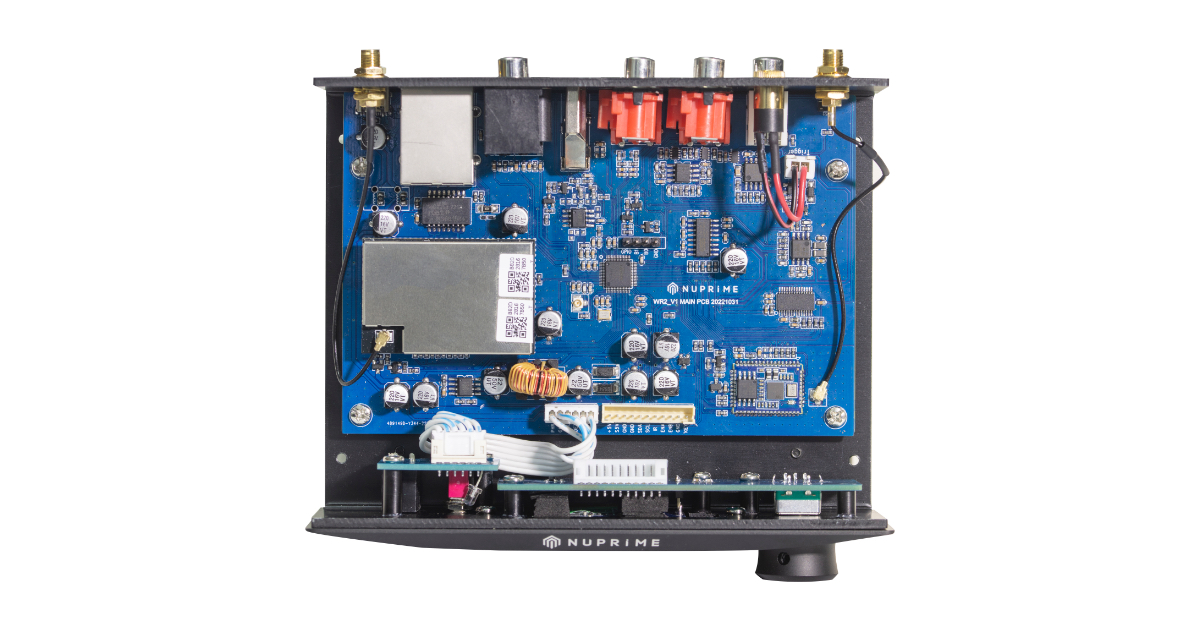
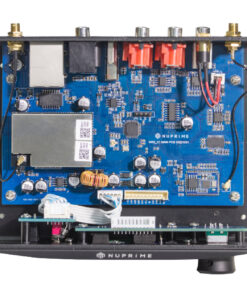
WR-2 versatility lies in its architectural design, where all inputs, Wi-Fi, and Bluetooth data are routed to a streaming CPU module for processing. The digital data can be re-streamed to multi-room Wi-Fi receivers or a Bluetooth device or decoded for lineout or headphone out.
The free iOS and Android Apps allow you to easily control your smart music system, select your source music and group destination speakers (including receiving streamers).
Features
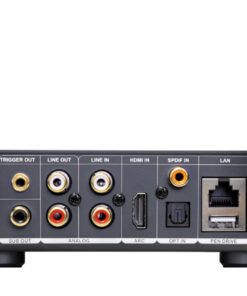
- Outputs: Coaxial (USB Type-C), Line Out, 3.5mm Headphone Amp, 12V Trigger Out
- Inputs: Line In, HDMI ARC, Optical, Coaxial, USB Pen Drive
- All inputs re-stream to WiFi and Bluetooth aptX HD headphones and speakers
- Ethernet RJ45, 2.4GHz & 5GHz WiFi, 2-way Bluetooth aptX HD
- Audio file decoding up to 24bit / 192KHz
- Streaming protocols Airplay2, DLNA, UPnP
- Support multi-room streaming up to 8 zones
- NuPrime proprietary EQ settings
- OLED display for music information
Dimension and Weight:
- Color: Black (PANTONE 19-3924 Night Sky)
- Product Dimension: 52 x 136 x 106 mm (H x W x D)
- Package Dimension: 220 x 170 x 280 mm (H x W x D)
- Product Weight: 0.5kg
- Package Weight: 1.5kg
- Warranty: 1 year.
Note: Spotify Lossless, TIDAL Connect, and Qobuz Connect are not supported. Streaming is available via AirPlay 2 or DLNA through MConnect (iOS) and BubbleUPnP (Android).
Streaming Services and Hi-Res Streaming for NuPrime Omnia Devices
Supported online streaming services: Qobuz, QQ Music, Spotify, TIDAL, Apple Music.
Qobuz and Tidal
- Stream music from Qobuz and TIDAL using the MConnect Player app on iOS or the BubbleUPnP app on Android. Hi-Res audio streaming is supported via the DLNA protocol.
- Qobuz Connect and Tidal Connect not supported.
Spotify
- From Spotify player, stream to NuPrime device through Spotify Connect.
- Spotify Lossless is not supported.
QQ Music (QQ音乐)
- Refer to QQ music setup guide
| Method | Bit / Sampling Rate |
| UPnP/DLNA renderer | Full Hi-Res possible |
| Chromecast | Up to 24-bit / 96 kHz typically |
| AirPlay | Limited to 16-bit / 44.1 kHz |
* Wireless re-streaming and SPDIF output are limited to 44.1K (CD Quality) to ensure multi-room streaming performance requirement.
* WR-1 and WR-2 can be used together.
Warranty: 1 year.
iOS
- Install the NuPrime Omnia Receiver app from the Apple App Store. Use it only for setting up your device for Wi-Fi connection and multi-zone grouping, not for streaming playback. Omnia Receiver app User Guide
- Use the MConnect app to stream from your favorite services or local NAS to the Omnia device.
Android
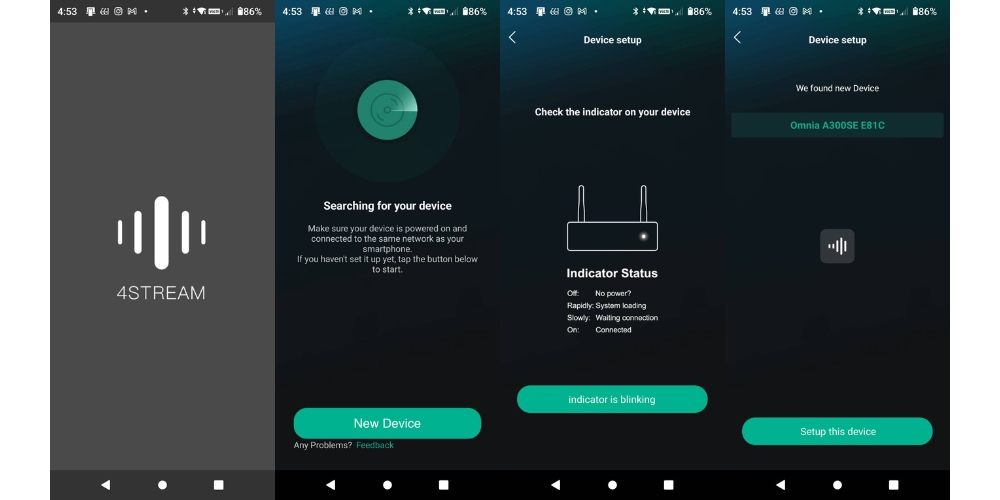
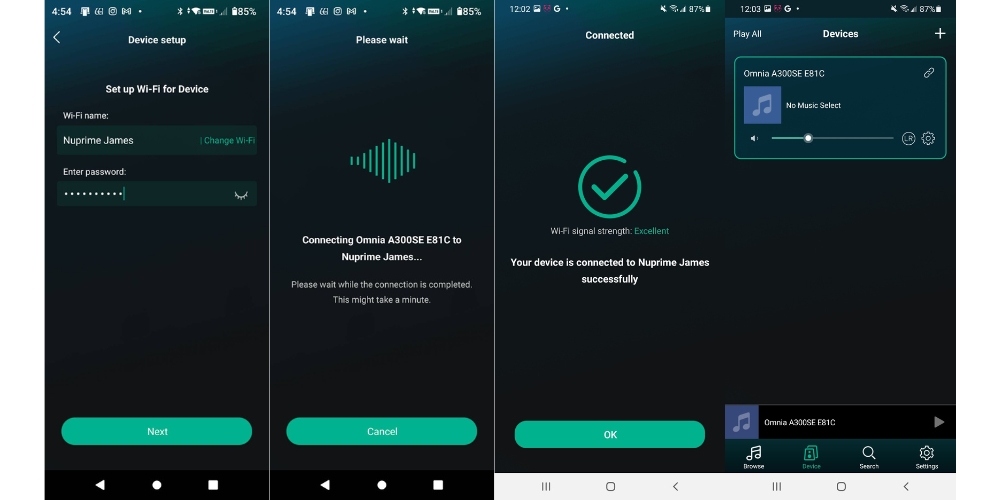
- Install 4Stream App from Google Play Store if you can't install Nuprime Omnia app. Set up your Omnia device for Wi-Fi connection and multi-zone grouping.
- Use the BubbleUPnP app to stream from your favorite services or local NAS to the Omnia device.
4Stream Guide (for device setup only)
Over-The-Air Update
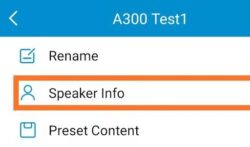
- Go to the setting for your device
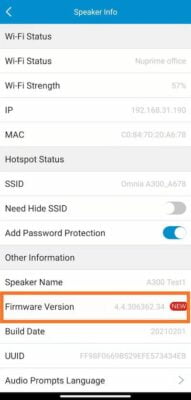
- Select the "NEW" firmware and a dialog box will pop up. Select Upgrade.
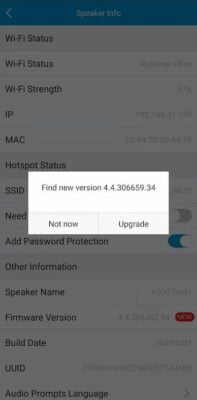
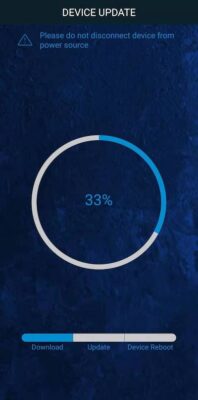
The latest Android app version is 3.1.11.230620
The latest iOS app version is 2.8.11809
*** this version added support for gapless playback.
Manual System Firmware Update
Follow the instructions below to update the system firmware if required in a rare situation. If you are not asked to update the system firmware, don't do it. This section does not concern you!
Device System Firmware Update Instructions
- If you are updating streaming integrated amp such as A300, A300SE, Stream Mini, Stream Mini DAC, disconnect it from the speakers.
- Download and install updateTool v1.18 (updateTool.exe) on a PC running Windows 10.
- Locate the IP address of A300 on your network using Omnia Receiver App (the following App images use WR1 as an example):
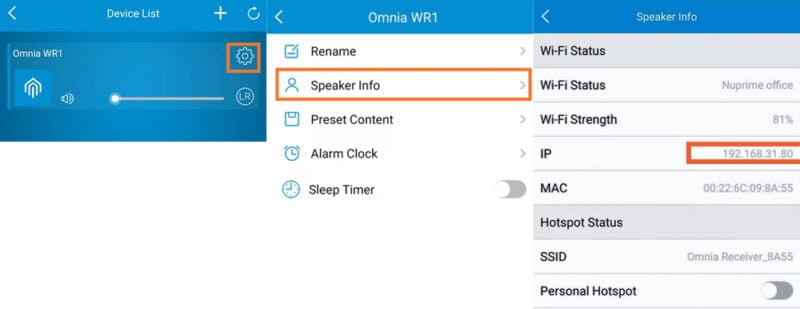
- Enter the device's IP address in updateTool.
- Download and Unzip the relevant firmware files onto your PC and provide the file path for updateTool to install.
A300, 300SE firmware: a98_nuprime_new_SECURE_uImage_ota_moduleMulti_20211108_4.6.334960
A300, WR-1 firmware: a31rakoit_new_uImage_20220427
Stream mini, Stream mini DAC firmware: a97l_rakoit_new_SECURE_uImage_ota_moduleMulti_20220401_4.6.412542
WR-2 firmware: a97_rakoit_new_SECURE_uImage_ota_moduleMulti_20230302_4.6.509530
Repeatedly pressing the Loudness button will cycle through the following EQ settings:
Flat, Loudness 1, Loudness 2, Loudness 3, Rock, Jazz, Pop, Classic

Loudness1

Loudness2

Loudness3
 ...Not only is the sound warm and detailed, as well as fresh and musical, but the plans and bands can be heard separately, and together - it is an art that at this price level is extremely rare...
...
NuPrime devices are famous for their sound, which significantly exceeds the expectations in the budget in which they are sold" - I borrow this sentence from the manufacturer, because I can sign with it with both hands. At the same time, how perfect the description fits the WR-1. Its sound is surprisingly dense, saturated, calm, legible, without sharpening, and it impresses with an ordered stage. It is this calmness, maturity, saturation and space that impressed me the most. Just listen to the disc of Michel Godard "Monteverdi. A Trace of Grace" (FLAC 24/192): the sound surrounds the speakers, the stage is wide, and the interior of a medieval monastery full of concentrated air. Or Etty Cameron and Nikolaja Hess with friends ("Etta" FLAC 24/96): the sounds "take up the whole band", are embedded deeply, there is "glue" between them, although there is no lack of details. Or finally the award-winning Billie Eilish album "When We All Fall Asleep, Where Do We Go?" (FLAC, 24 / 44,1), where each vocal track is clearly heard, and the dynamics has an amazing "kick" ... Marcin Gałuszka, Hi-Fi ClassRead full review
...Not only is the sound warm and detailed, as well as fresh and musical, but the plans and bands can be heard separately, and together - it is an art that at this price level is extremely rare...
...
NuPrime devices are famous for their sound, which significantly exceeds the expectations in the budget in which they are sold" - I borrow this sentence from the manufacturer, because I can sign with it with both hands. At the same time, how perfect the description fits the WR-1. Its sound is surprisingly dense, saturated, calm, legible, without sharpening, and it impresses with an ordered stage. It is this calmness, maturity, saturation and space that impressed me the most. Just listen to the disc of Michel Godard "Monteverdi. A Trace of Grace" (FLAC 24/192): the sound surrounds the speakers, the stage is wide, and the interior of a medieval monastery full of concentrated air. Or Etty Cameron and Nikolaja Hess with friends ("Etta" FLAC 24/96): the sounds "take up the whole band", are embedded deeply, there is "glue" between them, although there is no lack of details. Or finally the award-winning Billie Eilish album "When We All Fall Asleep, Where Do We Go?" (FLAC, 24 / 44,1), where each vocal track is clearly heard, and the dynamics has an amazing "kick" ... Marcin Gałuszka, Hi-Fi ClassRead full review Controlling Multiple Stream Mini DAC and Re-Streaming
Each WR-2 is independently controlled by the 4Stream and can be accessed from the Device List. You can assign different names to each receiver, choose what songs each of them is playing, or even group them to play the same music. To group devices, press and hold a device icon and drag towards another device or existing group.


Group's Device Master and Re-Streaming
When multiple devices are grouped, the first device in the group act as the master for music source.
Re-streaming happens when the master device receives music from Bluetooth, analog or optical input and streams to all other receivers within the group.
